
The Dashboard provides an overview of changes in payment order activity.
From this page you can choose a merchant.
You can also change the time period. By default, it will show the past week.
The boxes below display, respectively, the number of payment orders, the overall amount of payment orders, and the actual amounts debited and refunded over the same period.
The figures in brackets represent the change as compared to the last period. Hover over the box to view the change compared to the same period and the preceding year.

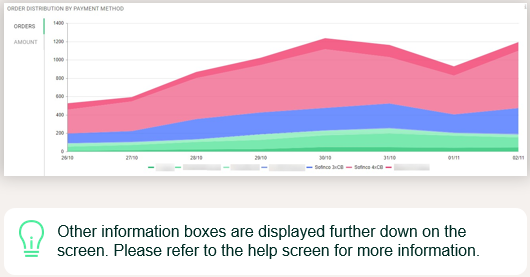
The distribution section shows the evolution of the number of payment orders, or their amount, for different payment methods over a given period.
- Aborted payment orders are not taken into account.
- You can remove or display a payment method from the chart by clicking on it
Comments
0 comments
Please sign in to leave a comment.